Teaching the Fundamentals of Code Before Touching a Keyboard
In elementary education, one of the most exciting pedagogical shifts of the past decade is the realization that coding is a foundational literacy. Just as learning phonics helps children decode language and learning number sense helps them understand mathematics, learning computational thinking helps children structure logic, break down complex tasks, and navigate an automated world.
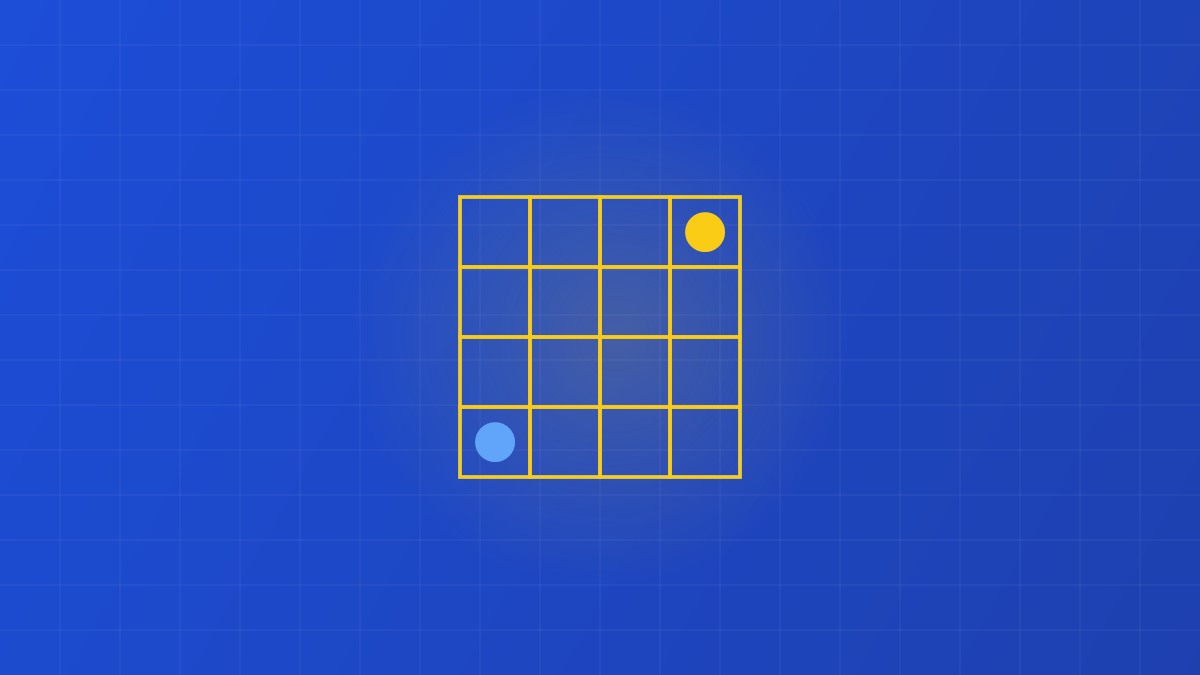
However, many early childhood educators and parents rightfully resist placing 4- and 5-year-old kindergarteners in front of laptops or tablets. The physical, screen-free alternative that has taken classrooms worldwide by storm is grid-based directional coding using small programmable floor robots (such as Beebots) or printable student avatar tokens. By physically stepping out or mapping directional sequences across a printed grid mat, young children master genuine programmatic logic with zero screen time.
1. The Four Pillars of Computational Thinking for Kindergarteners
Screen-free grid mazes introduce children to the exact same core concepts taught in university computer science courses, translated into intuitive spatial movements:
- Algorithmic Sequencing: An algorithm is simply a step-by-step recipe of instructions. On a grid mat, a child must plan the exact sequence of commands needed to move from Start to Goal (e.g., Forward → Forward → Turn Right → Forward).
- Decomposition: Breaking a large, intimidating journey across a 6x6 grid into manageable, single-square steps.
- Debugging: If the robot ends up in a mud puddle instead of the treasure chest, the child learns not to cry or give up, but to treat mistakes as bugs: stepping back through the sequence one command at a time to identify the exact instruction that went wrong.
- Conditional Logic and Obstacles: Navigating around impassable obstacle squares (rocks, rivers, walls) forces children to evaluate alternative paths and optimize route efficiency.
2. The Crucial Leap: Relative vs. Absolute Directionality
The single greatest cognitive hurdle for young programmers is mastering relative perspective. To a standing child, "turn right" means turning toward their own right arm. But if the toy robot or avatar on the grid is facing downward (toward the child), the robot's right is the child's left!
Navigating this spatial perspective shift exercises the parietal-temporal corridors of the brain, strengthening mental rotation and spatial decentralization (the ability to view the world from another entity's perspective). Printable coding cards with directional arrows that rotate along with the robot provide essential visual scaffolding during this developmental transition.
"When a kindergarten child spots a bug in their physical arrow sequence, fixes it with a smile, and watches their robot reach the goal, they have experienced the pure joy of engineering."
3. Designing Modular Printable Coding Mats
High-impact printable coding mats are structured on a standardized 15cm x 15cm grid (the universal movement distance of educational floor robots). The mats are designed as modular interchangeable tiles that can be configured into infinite classroom quests:
- The Phonics Island Mat: Squares feature target phonics letters or word families. The teacher calls out a word (e.g., SHIP); the student must program the robot to spell out the letters in order across the grid.
- The Math Fact Adventure: Students program the path from an equation (e.g., $4 + 5$) directly to its matching sum ($9$) while dodging negative number quicksand squares.
- Community Helper Navigation: The robot acts as an ambulance navigating city streets, programming routes from the hospital to the fire station, school, and library.
4. Four Engaging Classroom Coding Lab Activities
- "My Teacher is a Robot" Game: The teacher pretends to be a completely literal robot with no common sense. Students hold up physical arrow cards (Forward, Backward, Turn Left, Turn Right) to program the teacher to walk across the classroom and pick up a marker. If an instruction is missing, the teacher gently bumps into a wall, causing delighted laughter and immediate debugging practice!
- Pencil-and-Paper Path Planning: Before touching any floor robot, students receive a paper 4x4 maze worksheet and color-coded arrow stickers. They must physically map out their program on paper first, practicing deliberate lookahead planning.
- Pair Programming Duels: Adopt the industry-standard software engineering practice of pair programming: one student acts as the Driver (placing cards and pressing robot buttons) while the other acts as the Navigator (reading the map and checking for bugs).
- Obstacle Course Speed Runs: Students work in small teams to design the most complex maze possible for rival teams to program their way out of, celebrating creative problem design.
Download our free collection of printable Screen-Free Coding Mats, Arrow Cards & Grid Mazes on PuzzleNest to ignite computational thinking in your early learners today!